
Features
Teleprompter font size and layout: the best text size for your screen
The best teleprompter font size makes letters about twice the legibility minimum for your distance while keeping 3 to 6 words per line: in LumiPrompter that is usually a Text size of 40–56 on a laptop, 56–72 on a phone and 64–90 on a tablet in a glass rig. Text size, line spacing, margins and text color change live while you read, are saved on your device, and never change how long your script takes.
Last updated:
What font size should a teleprompter use?
There is no single number: the right size depends on how far you are from the screen and how wide it is. Two things matter. The letters must be big enough to read without squinting, and each line must be short enough to read in one glance, so your eyes don’t sweep left and right on camera.
LumiPrompter’s Text size is relative to the width of the window, not a fixed pixel size. A value of 64 means 64 pixels when the window is 1,000 pixels wide; in a 1,600-pixel window the same setting gives about 102 pixels. The text never drops below 16 pixels and stops growing at twice the number in pixels. The benefit: when you go full screen or move to a bigger display, the line breaks stay the same and only the letters scale.
As a quick estimate, when the prompter fills the screen, the height of a capital letter in millimetres is roughly Text size × screen width in millimetres ÷ 1,400. At the default 64 on a laptop screen 30 cm wide, capitals are about 14 mm tall; on a phone 6.5 cm wide in portrait, about 3 mm.
How big should teleprompter text be for your reading distance?
A common legibility guideline for signs and screens is about 2.5 cm of letter height per 10 m of viewing distance (1 inch per 10 feet), or 2.5 mm per metre. That is the minimum for reading at all. To read aloud fluently, under lights and while performing, aim for roughly double. The table is a rule of thumb for LumiPrompter in full screen, not a measured standard.
Close screens don’t need big numbers for legibility: on a laptop even 40 gives letters several times the minimum, so choose the size for line length. From 2 m on, legibility comes first, and a beam-splitter glass also dims the image, one more reason to go larger.
| Setup | Reading distance | Minimum letter height (guideline) | Suggested Text size |
|---|---|---|---|
| Phone in portrait, hand-held or on a stand | 30–50 cm | 1–1.5 mm | 56–72, Margins 5% |
| Laptop, 13–15 inch | 50–70 cm | 1.5–2 mm | 40–56 |
| Desktop monitor, 24–27 inch | 1–2 m | 2.5–5 mm | 36–48 |
| Phone in a small glass rig, landscape | 1–1.5 m | 2.5–4 mm | 64–90 |
| Tablet in a beam-splitter rig, landscape | 2–3 m | 5–7.5 mm | 64–90 |
| TV or large display, 50–55 inch | 3–5 m | 7.5–12.5 mm | 32–44 |
Set it at the real distance: sit where you will record, press Play and use + and - until you can read a full line in one glance without leaning in.
Which display settings can you adjust?
All display settings sit next to the editor and apply instantly. They are saved in your browser on this device, so your next session opens with the same layout.
| Setting | Range | Default | What it does |
|---|---|---|---|
| Text size | 20–160 (+ and - change it by 4) | 64 | Letter size, relative to window width |
| Line spacing | 1.0–2.4 | 1.5 | Space between lines, as a multiple of the text size |
| Margins | 0–40% per side | 10% | Empty space left and right; narrows the column |
| Text color | White, yellow, green, light cyan | White | Color of the script on the black background |
| Reading line | On / off | On | Two amber markers 40% down the screen showing where to read |
| Eye-line (camera at top) | On / off | Off | Moves the reading line up, just under the webcam |
| Mirror / Flip | On / off | Off | Reverses the text horizontally / vertically for glass rigs |
How many words per line are best on a teleprompter?
Most people read a teleprompter most comfortably at about 3 to 6 words per line (roughly 25 to 40 characters). A line that short fits in one fixation, so your eyes move down rather than side to side, which viewers notice immediately on camera.
In LumiPrompter, line length comes from Text size and Margins together. With the default Margins of 10%, a Text size of 64 gives about 4 words per line, 48 about 5, and 36 about 6 to 7 (approximate, for English). Wider margins narrow the column without making the letters smaller.
- Close to a webcam: use Margins of 15–25% so the column stays near the lens and your eyes barely travel. Add eye-line mode to keep your gaze right under the camera.
- Glass rigs at a distance: lower Margins to 5–10% and raise Text size, because the screen is small but you stand far back.
- Line spacing of 1.3–1.6 suits most scripts; go up to 1.8–2.0 if you lose your line while the text moves.
What colors are easiest to read on a teleprompter?
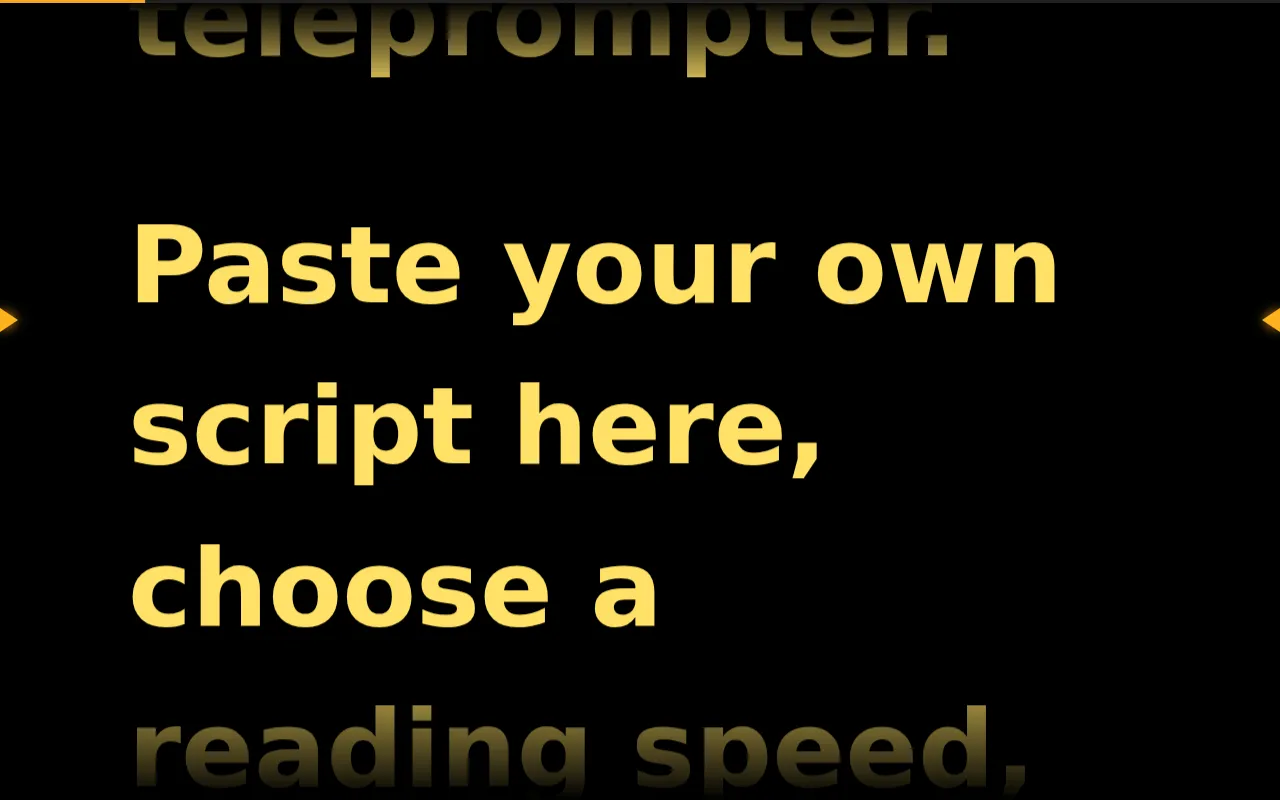
Light text on a dark background is the teleprompter standard. It gives maximum contrast, doesn’t light up your face, and on beam-splitter glass the black areas disappear so only the words reflect. That is why LumiPrompter’s prompting screen is always black; if you record video with Camera background on, the text sits over your camera image instead.
White is the sharpest choice in most conditions. Yellow is gentler in long sessions and stands out under bright lights; green and light cyan are softer options if white feels harsh in a dark room. Words you have already read fade to about half brightness, so the current line always stands out.
If the screen reflects in a glass, turn on Mirror so the reflection reads the right way round. The camera teleprompter guide covers rigs, tablets and Flip.
Does changing the text size change the timing?
No. LumiPrompter times your script by words (characters for Chinese and Japanese), never by screen height. The duration is the word count divided by your speed: 700 words at 140 words per minute take 5 minutes whether the text is size 30 or 120.
When you enlarge the text, the script gets taller, so it scrolls faster in pixels to keep the same pace in words. You can change Text size, Line spacing or Margins in the middle of a take: your place and the remaining time stay put. To change the pace itself, see teleprompter speed, or check a script’s length with the words-to-minutes calculator.
How to set up text size and layout in LumiPrompter
It takes under a minute, and the settings are remembered for next time.
- Open the teleprompter and paste or import your script.
- In the controls next to the editor, set Text size from the table above, then Line spacing and Margins.
- Pick a Text color and leave Reading line on.
- Turn on Mirror if the screen reflects in glass, or Eye-line (camera at top) if you read under a webcam.
- Press Play, then
Ffor full screen, and check from your real position. - Fine-tune while reading:
+or=makes the text bigger,-smaller, or use the Text size buttons in the bottom bar.
Any keyboard or programmable remote that sends + and - can resize the text hands-free; see remote control and keyboard shortcuts.
Frequently asked questions
- What font size should I use for a teleprompter?
- Use a size that makes capital letters about 5 mm tall per metre of distance, with 3 to 6 words per line. In LumiPrompter that is usually a Text size of 40–56 on a laptop, 56–72 on a phone and 64–90 on a tablet in a glass rig 2–3 m away.
- What is the best color for teleprompter text?
- White or yellow text on a black background. White is the sharpest, yellow is gentler in long sessions, and LumiPrompter also offers green and light cyan.
- How far away can you read a teleprompter?
- It depends on letter size: a common guideline is 2.5 cm of letter height per 10 m of distance. A tablet with large text is readable at 2–3 m, a large TV at 3–5 m.
- How do I make teleprompter text bigger while recording?
- Press the plus key or the plus button next to Text size in the bottom bar. Each press adds 4, the minus key makes it smaller, and the scrolling doesn’t stop.
- Does bigger text make my script take longer?
- No. The duration depends only on the number of words and your speed, so size, spacing and margins never change the timing.
- What line spacing is best for a teleprompter?
- Around 1.5, the LumiPrompter default. Go up to 2.0 if you lose your line while the text scrolls, or lower it to see more lines at once.